Google Play Console Setup Guide
Follow these critical steps to configure your Google Play Console for closed testing with our community.
Quick Navigation
Critical Requirement
Before you can download other developers' apps or have them test yours, you must complete these configuration steps. Without this, you won't be able to access the closed tests.
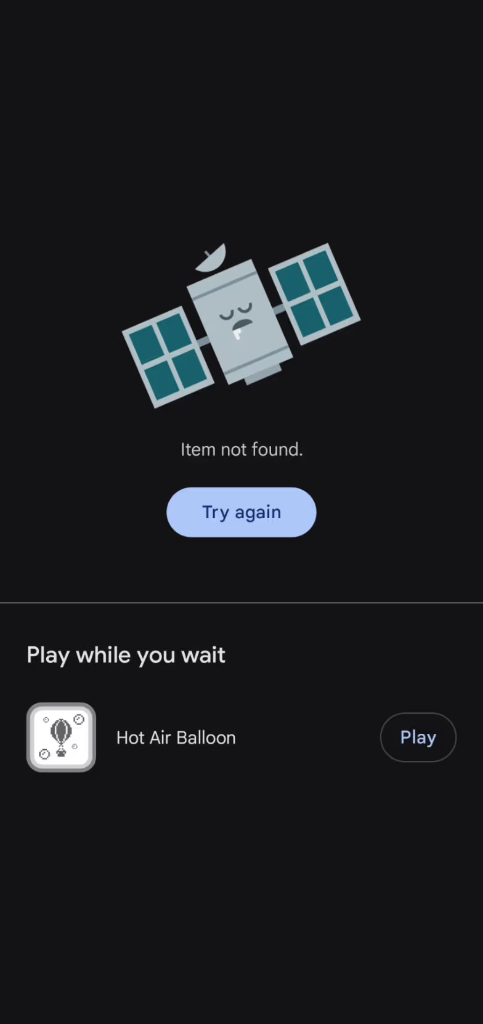
This is What "Not Accessible" Looks Like
When your app setup is incomplete, testers see this error on Google Play Store. Following this guide ensures your app becomes accessible to all testers.
Issue:
"Item not found" error – preventing testers from installing your app
1. Join the Google Group
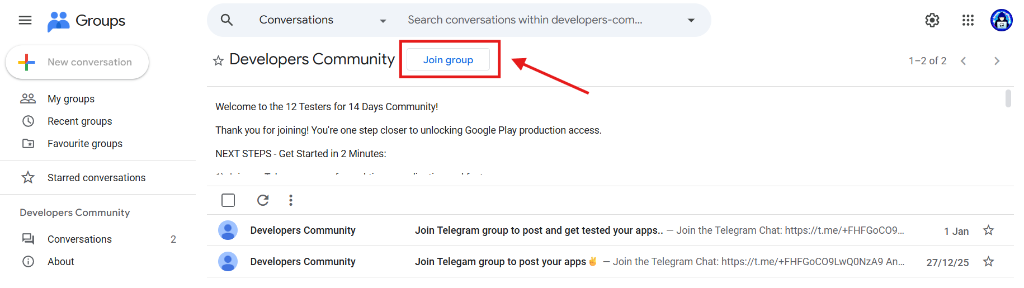
First, you need to be a member of our Google Group. This group is used as a verified list of testers.
Join Google Group* You must be logged in with the same Google account you use on your Android device.
2. Open Play Console Sidebar
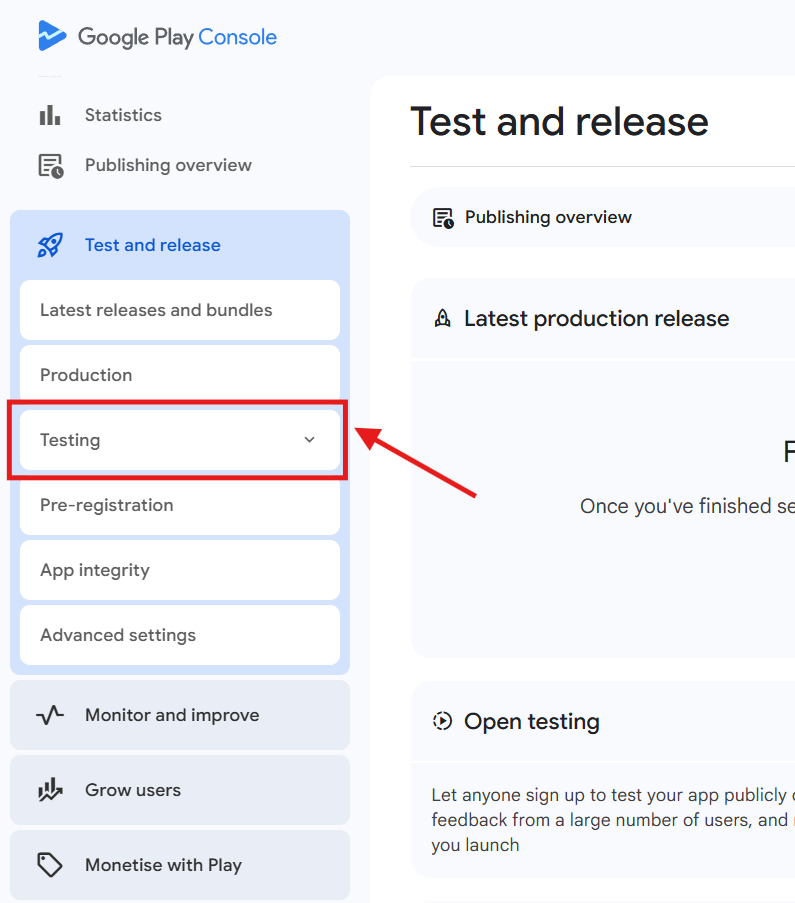
Go to your app in the Google Play Console and click on the sidebar menu to reveal your navigation options.
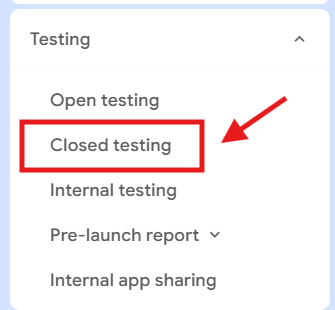
3. Select Closed Testing
Navigate to "Testing" and then select "Closed testing" from the sidebar menu options.
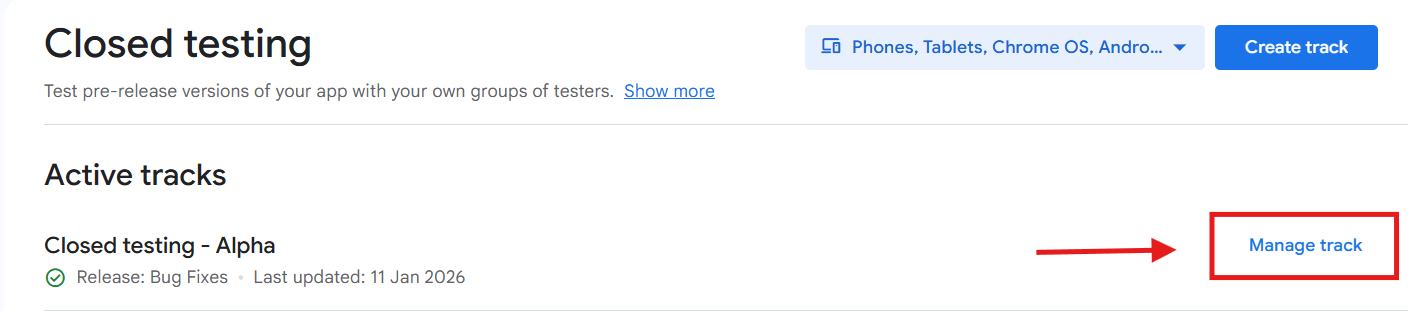
4. Manage Track
Look for your active closed testing track and click on "Manage track" to access its settings.
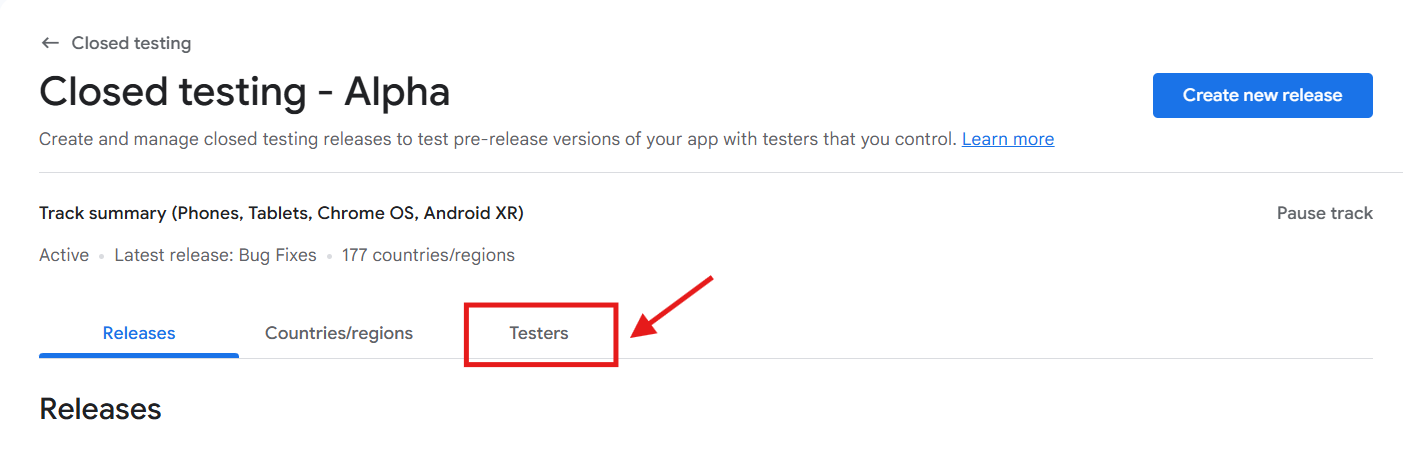
5. Click on Testers
Within the track settings, locate and click on the "Testers" tab to manage who can test your app.
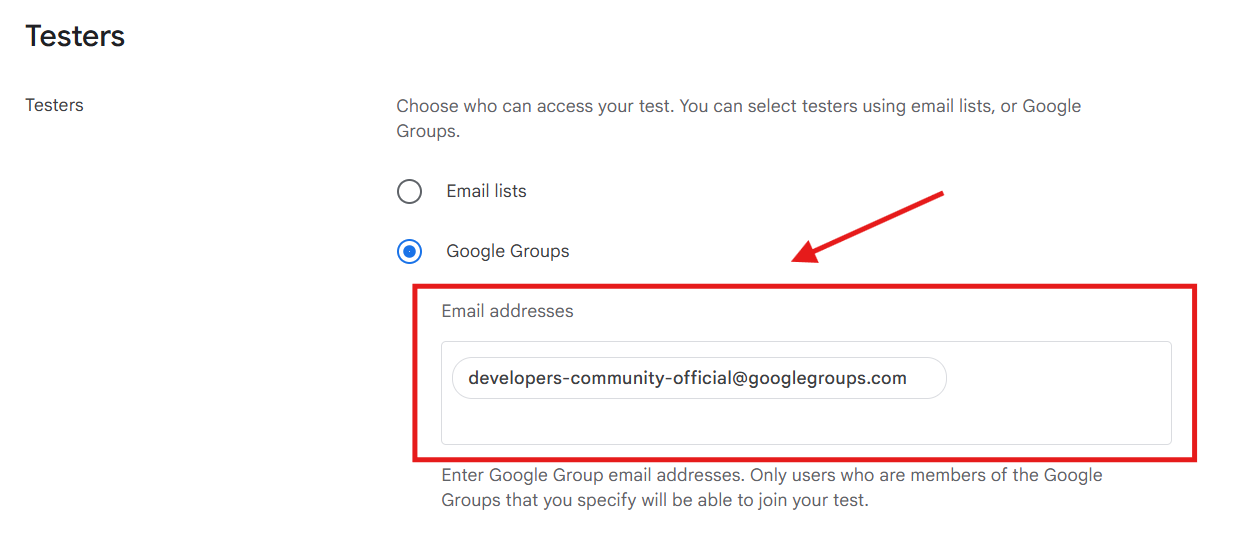
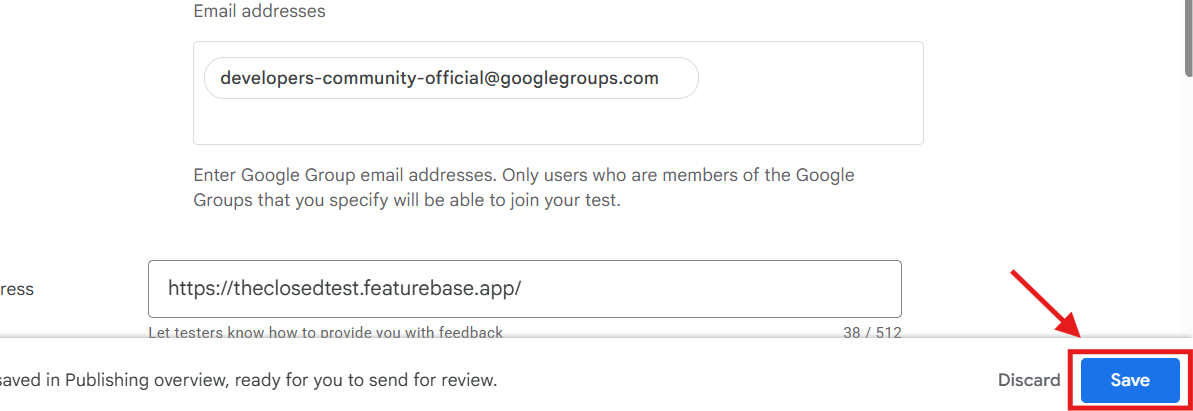
6. Add the Google Group
Scroll down to the "Google Groups" section. Copy the email address below and add it to your testers list.
7. Click Save
After adding the Google Group email, don't forget to click "Save" at the bottom of the page to apply your changes.
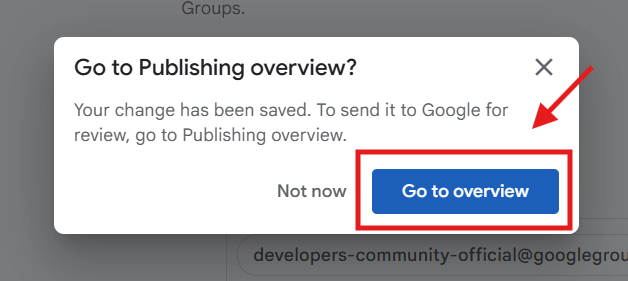
8. Go to Publishing Overview
Navigate to "Publishing overview" in the sidebar. This is where you review and publish any pending changes.
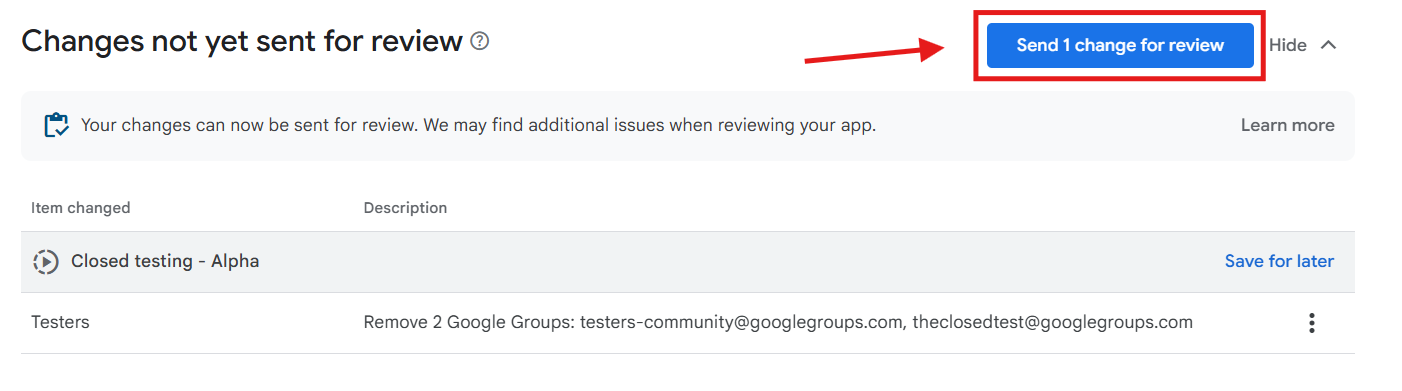
9. Send for Review
Finally, click "Send for review" to officially submit your tester list changes to Google.
How to Use the App
Once you've set up your Play Console, use our app to manage your testing ecosystem.
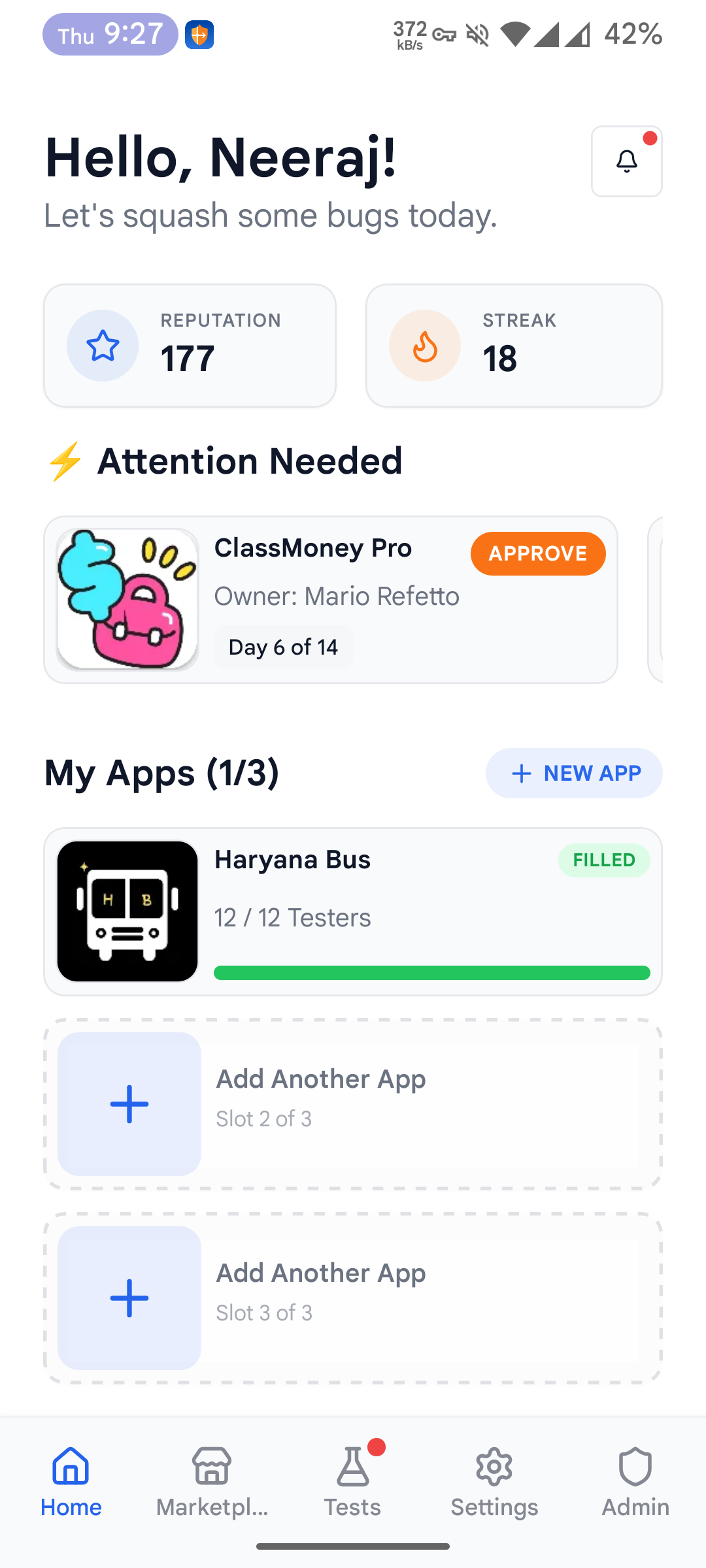
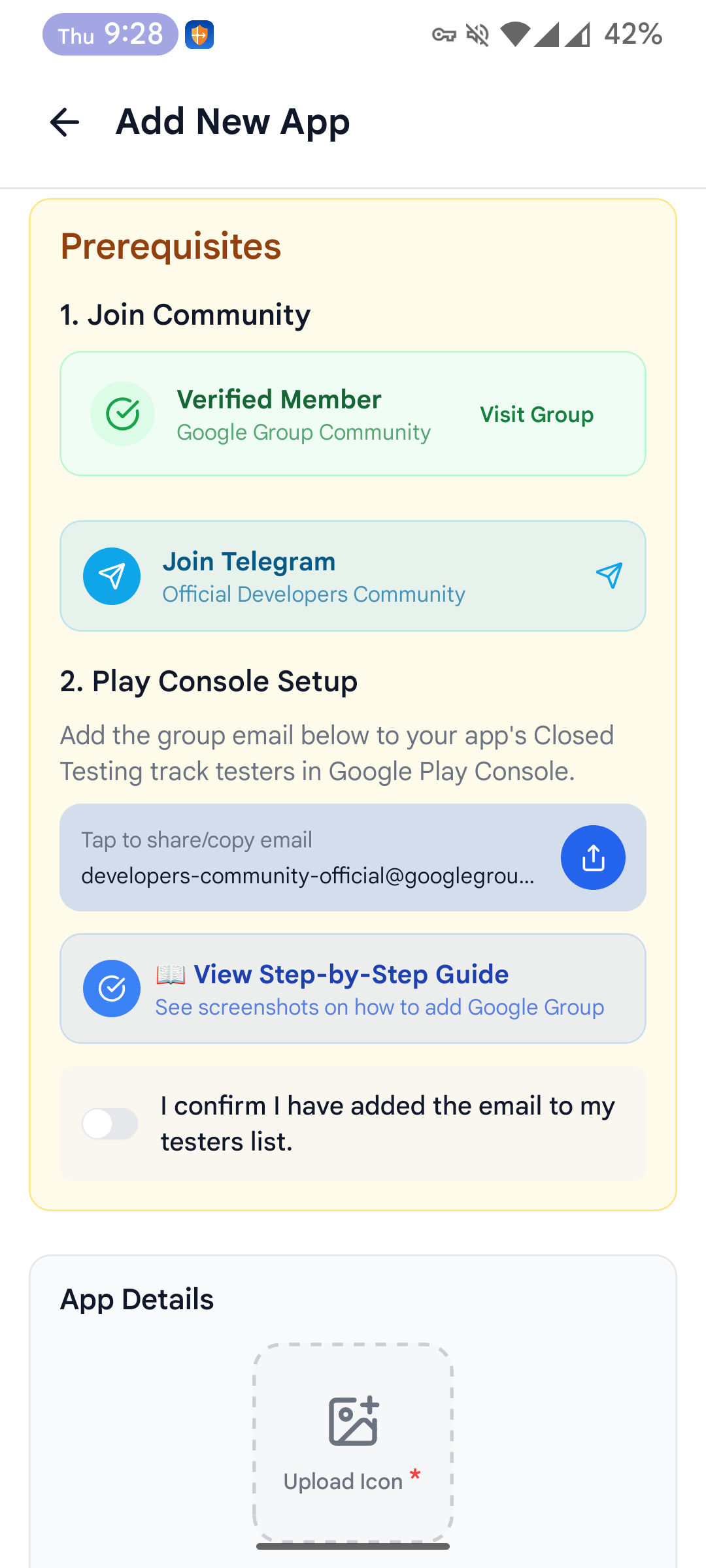
Download the AppStep 1: Open & Add App
Launch "The Closed Test" app. On the dashboard, tap the "Add App" button to begin registering your application for testing.
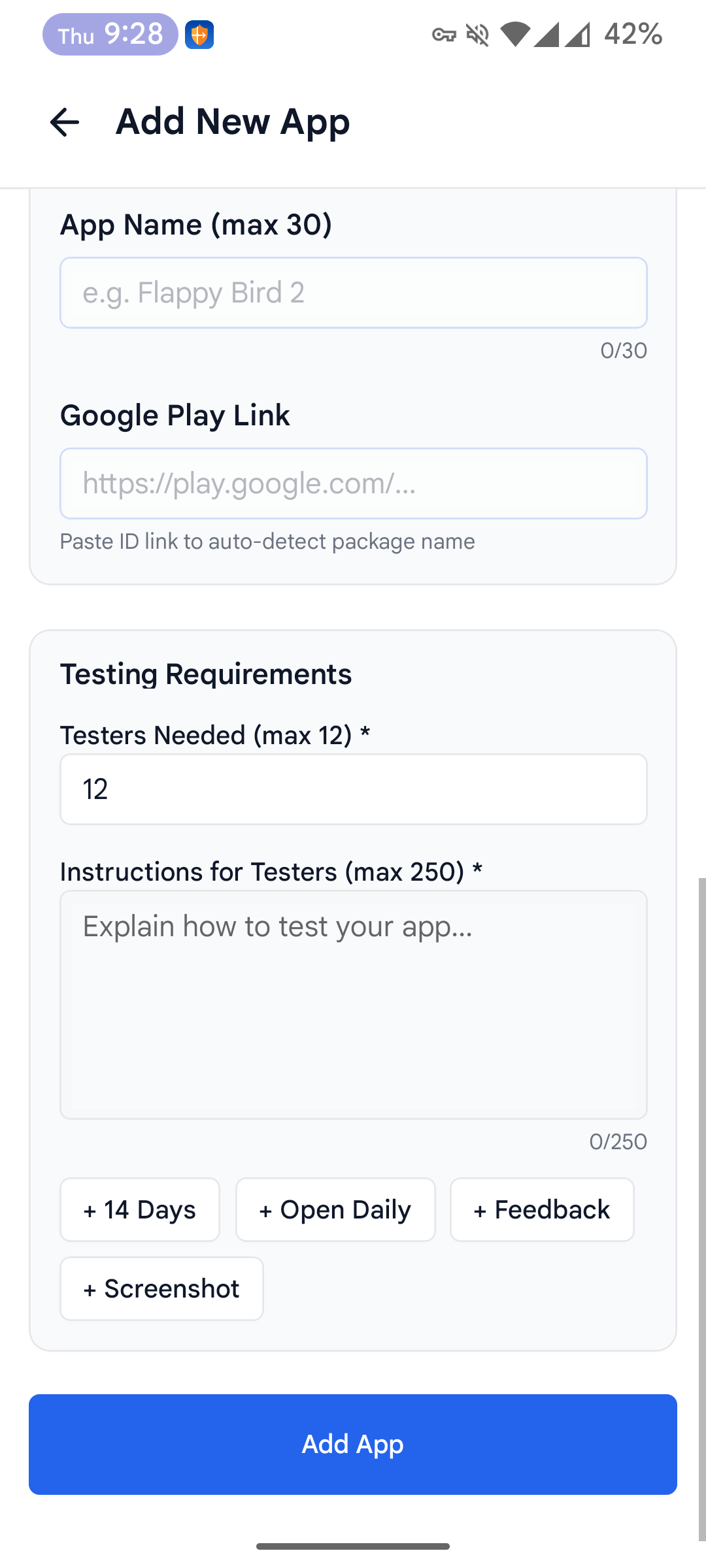
Step 2: Fill App Details
Enter your App Name, Package Name (Bundle ID), and complete all required information to finalize your app listing.
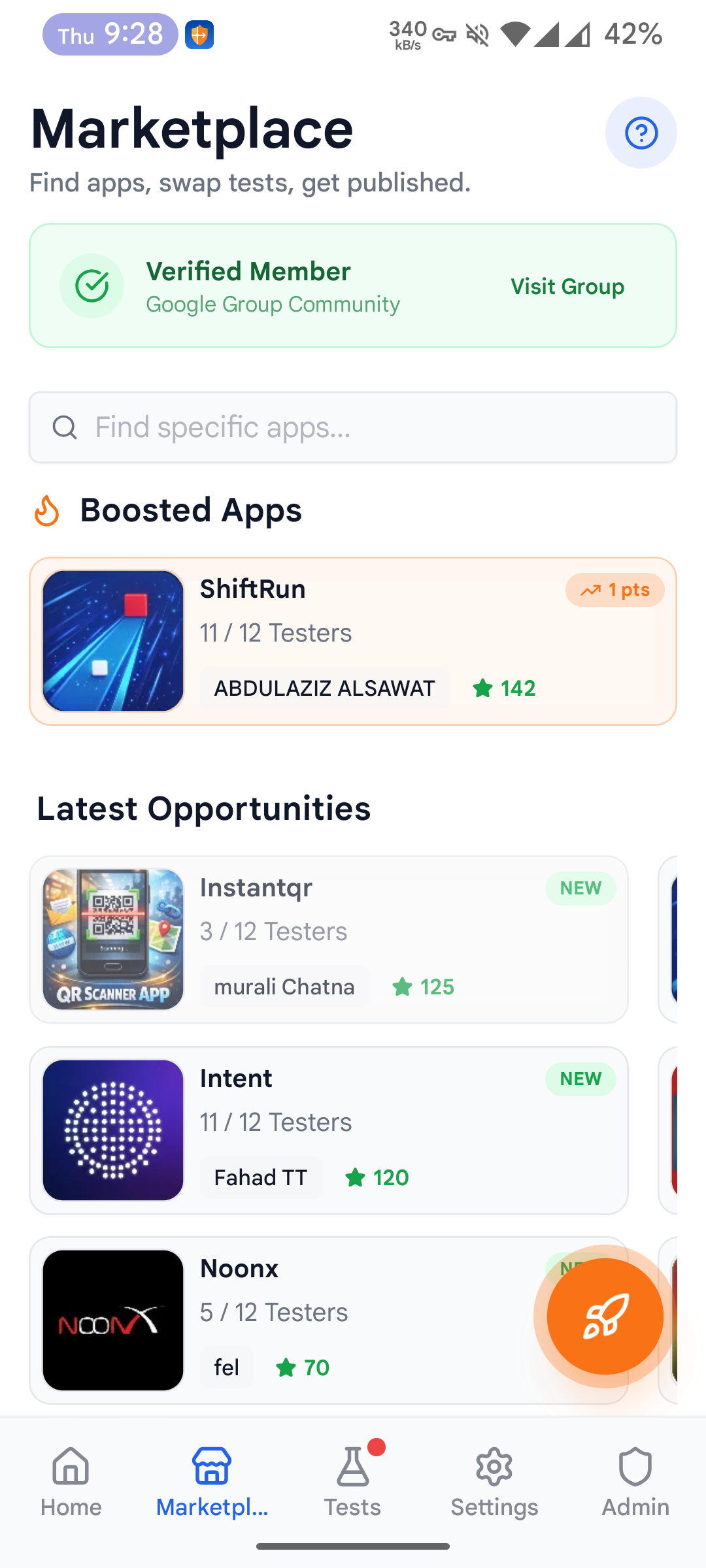
Step 3: Explore Marketplace
Head to the Marketplace tab. Here you can find other developers' apps to download and request swaps to fill your tester list.
Success!
Once added, testers from our community can opt-in to test your app!
Important
Please wait 10-15 minutes for changes to be published by Google Play Console.